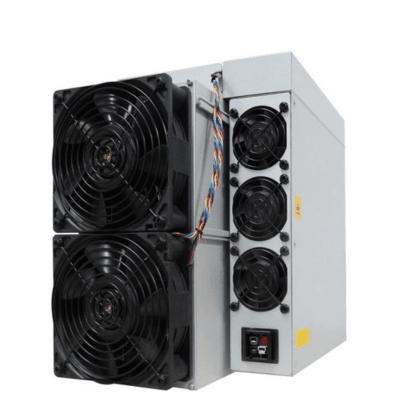
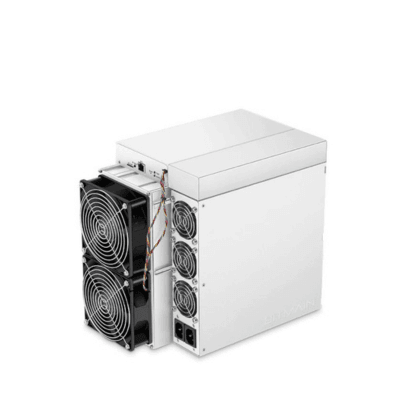
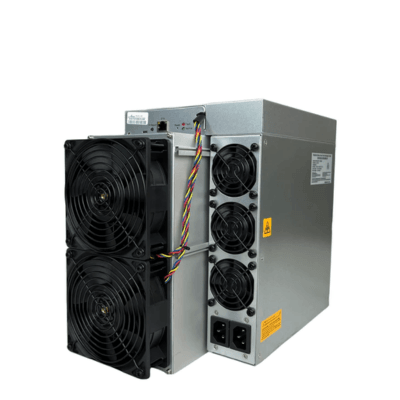
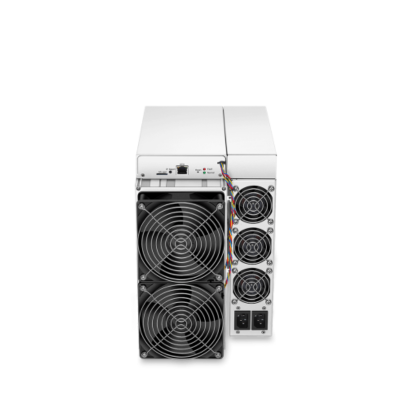
Fleet monitoring & remote control

Monitor & control your Antminer fleet from anywhere on earth

AntminerTools is ASIC miner monitoring and management software for Bitmain Antminers. Live hashrate, temperatures, alerts, remote reboot and profitability for your whole farm β€” on your phone or desktop. No port forwarding, no VPN, no static IP. Setup takes 2 minutes.

βœ“ Free to start  Β·  βœ“ Works behind CGNAT & Starlink  Β·  βœ“ No hardware changes to your miners
30 sstats refresh rate
24/7alert monitoring
2 minagent setup
∞farms & miners
Live Β· Overview Β· 09:41:22
AntminerTools dashboard showing a live Bitmain Antminer fleet β€” hashrate, temperature, power and daily profit AntminerTools dashboard (dark theme) showing a live Bitmain Antminer fleet β€” hashrate, temperature, power and daily profit
πŸ””Auto-reboot sent β€” NC4 offline, recovering…
How it works

Online in three steps β€” no networking skills needed

Your miners sit safely on your farm's local network. A tiny connector agent creates a secure outbound tunnel to our cloud, so you never open a single port.

1
🏭

Create your farm

Sign up free and add a farm for each site you run β€” home garage, container, or warehouse. Each farm gets its own secure access token.

2
⬇️

Run the agent

Download your pre-configured agent and run it on any PC or Raspberry Pi on the same network as your miners. One double-click β€” Python and dependencies install automatically. It auto-starts on boot and updates itself forever.

3
πŸ“‘

Scan & monitor

Hit Scan Network and every Antminer on your subnet appears automatically β€” model, worker name, serial and MAC included. From then on it's live stats every 30 seconds.

Complete guide

How to use AntminerTools β€” step by step

From zero to a fully monitored, auto-protected farm. Every option explained.

1

Create your account & first farm

Sign up free, then go to Dashboard β†’ Farms β†’ β€œ+ New farm”. Give it a name (e.g. β€œGarage”, β€œContainer-01”). A farm = one physical location β€” each farm gets its own secure token and runs its own agent. You can create as many farms as you have sites.

🏭 Farms
Farm nameContainer-01
LocationFlorida, US
Create
2

Download & run the Connector Agent

After creating the farm (or via the β€œβ¬‡ Agent” button on the farm card), click β€œπŸ“¦ Download agent ZIP”. It comes pre-configured with your farm’s token β€” nothing to edit.

Run it on any PC or Raspberry Pi on the same network as your miners:

β€’ Windows: unzip, double-click START_AGENT.bat β€” Python and everything needed installs automatically, and it auto-starts on boot.
β€’ Linux / RPi: python3 antminer_agent.py

Within seconds the farm card badge flips to ● Connected. The agent keeps itself updated forever β€” you never touch it again.

Container-01 ● Connected
Agentv7.6.0
Last seenJust now
⬇ AgentπŸ” ScanπŸ”„ Restart
3

Scan your network β€” miners appear automatically

Click β€œπŸ” Scan” on the farm card. The subnet is detected automatically from your agent’s network; the default miner login is root/root (change it if yours differs). Hit Start scan.

Watch the live counter β€” β€œβ› 1 found… 2… 3…” β€” as the agent sweeps every IP. When it finishes you get a table of every Antminer found: IP, model, worker name from the pool, serial and MAC. Rename any of them, then click β€œβž• Add all new” (or Add per miner). Done β€” they’re now monitored 24/7.

πŸ” Scanning… ⛏ 6 found
163 / 254 IPs~38s remaining
192.168.1.112S21 XP Hyd. ✨ New
192.168.1.109S21 XP Hyd. ✨ New
4

Monitor everything from the Overview

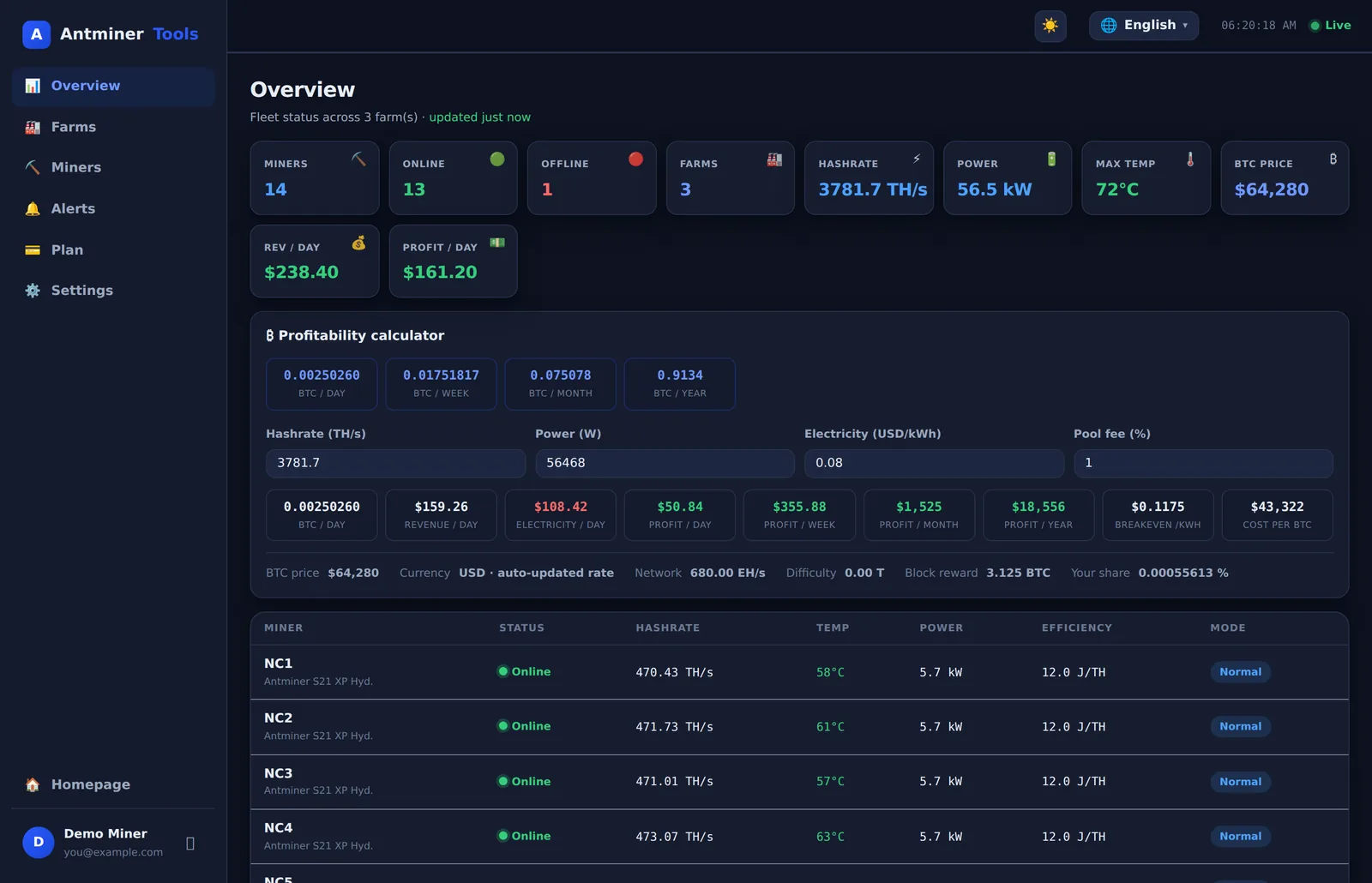
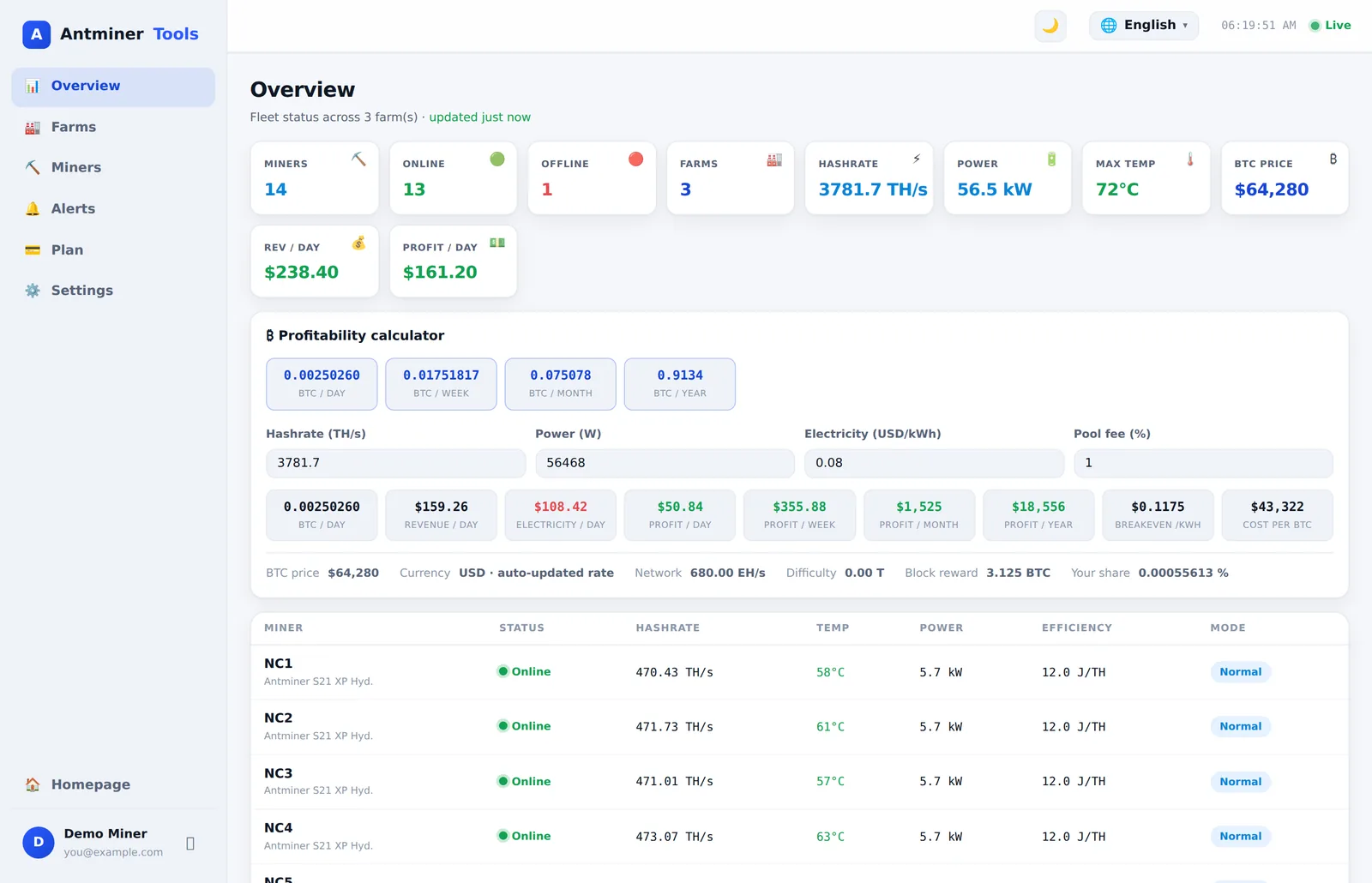
The Overview page shows your whole fleet, refreshed every 10 seconds: miners online/offline, total hashrate, power draw, hottest temperature, BTC price and your daily revenue and profit.

Click any miner to open its detail page: live hashrate (5s / 30m), a 24-hour hashrate chart, per-chain chip & PCB temperatures, fan speeds (or water-cooled detection), power, efficiency in J/TH, uptime, firmware, serial, and the live pool status with accepted/rejected shares.

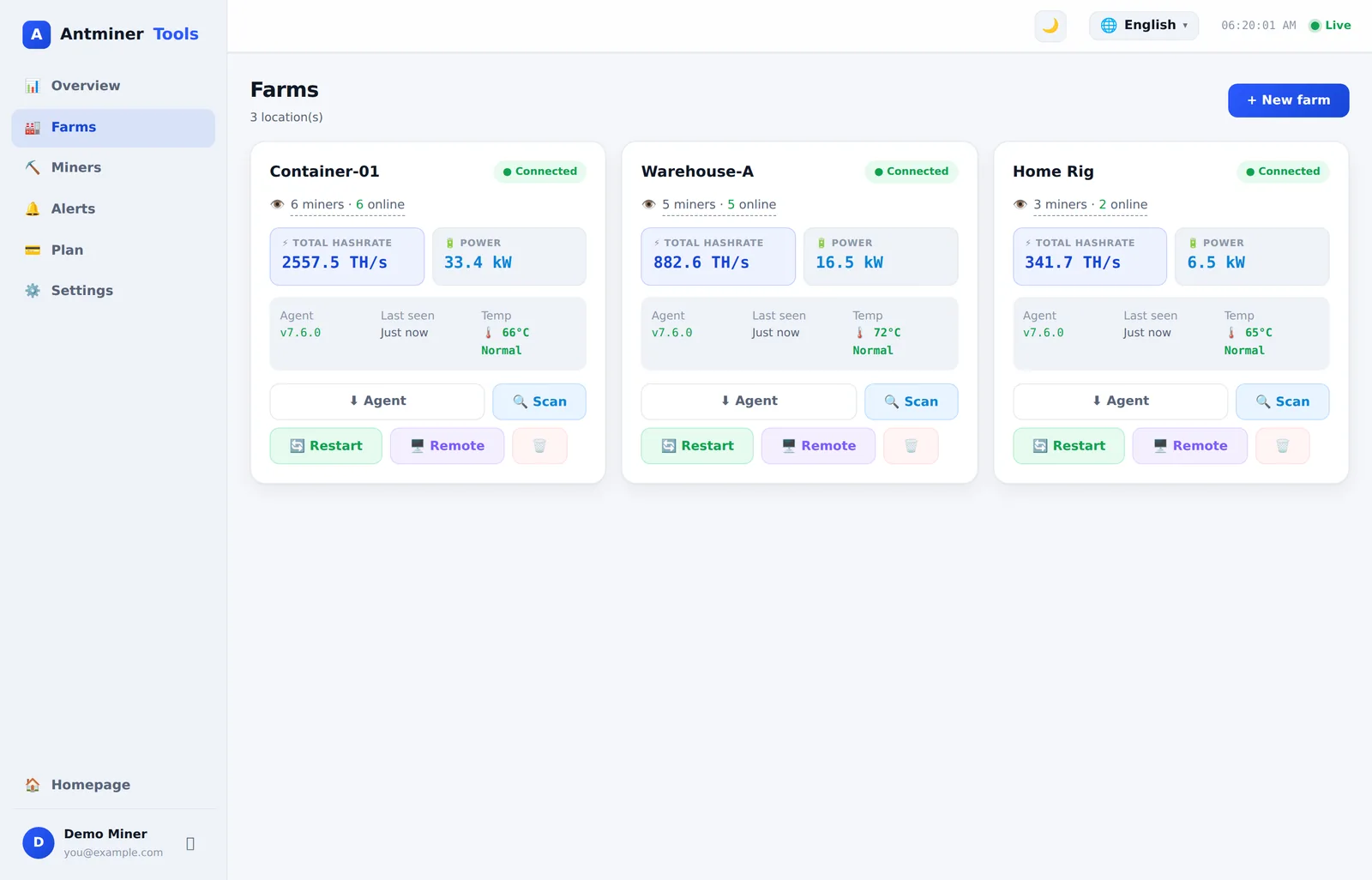
On the Farms page, each card shows a temperature health badge: green Normal, amber Warm β€” and if any miner hits 85Β°C the whole card flashes red πŸ”₯ ABNORMAL so you can’t miss it.

πŸ“Š Overview updated just now
16Online
6800 TH/sHashrate
69Β°CMax temp
$197Rev/day
$27Profit/day
88.9 kWPower
5

Control your miners remotely

Every miner’s detail page has a Control panel:

β€’ πŸ”„ Reboot β€” fix a frozen miner from anywhere
β€’ β–Ά Normal / 😴 Sleep / πŸš€ Turbo / 🌿 Eco β€” switch work modes (Sleep to ride out expensive power hours, Eco to cut heat, Turbo when profit is high)
β€’ πŸ’‘ Blink LED β€” flash the light to find a unit in a rack of identical machines
β€’ πŸ”ƒ Refresh stats β€” force an immediate poll

Need to reboot many at once? The farm card’s β€œπŸ”„ Restart” button opens a panel with every miner’s current hashrate, 24-hour average and last-seen time β€” restart one, or Restart ALL with one click.

πŸ”„ Restart miners β€” Container-01
FL1 Β· 483 TH/s Β· avg 479πŸ”„ Restart
FL2 Β· 487 TH/s Β· avg 462πŸ”„ Restart
πŸ”„ Restart ALL (8)
6

Set alarms that protect your hardware

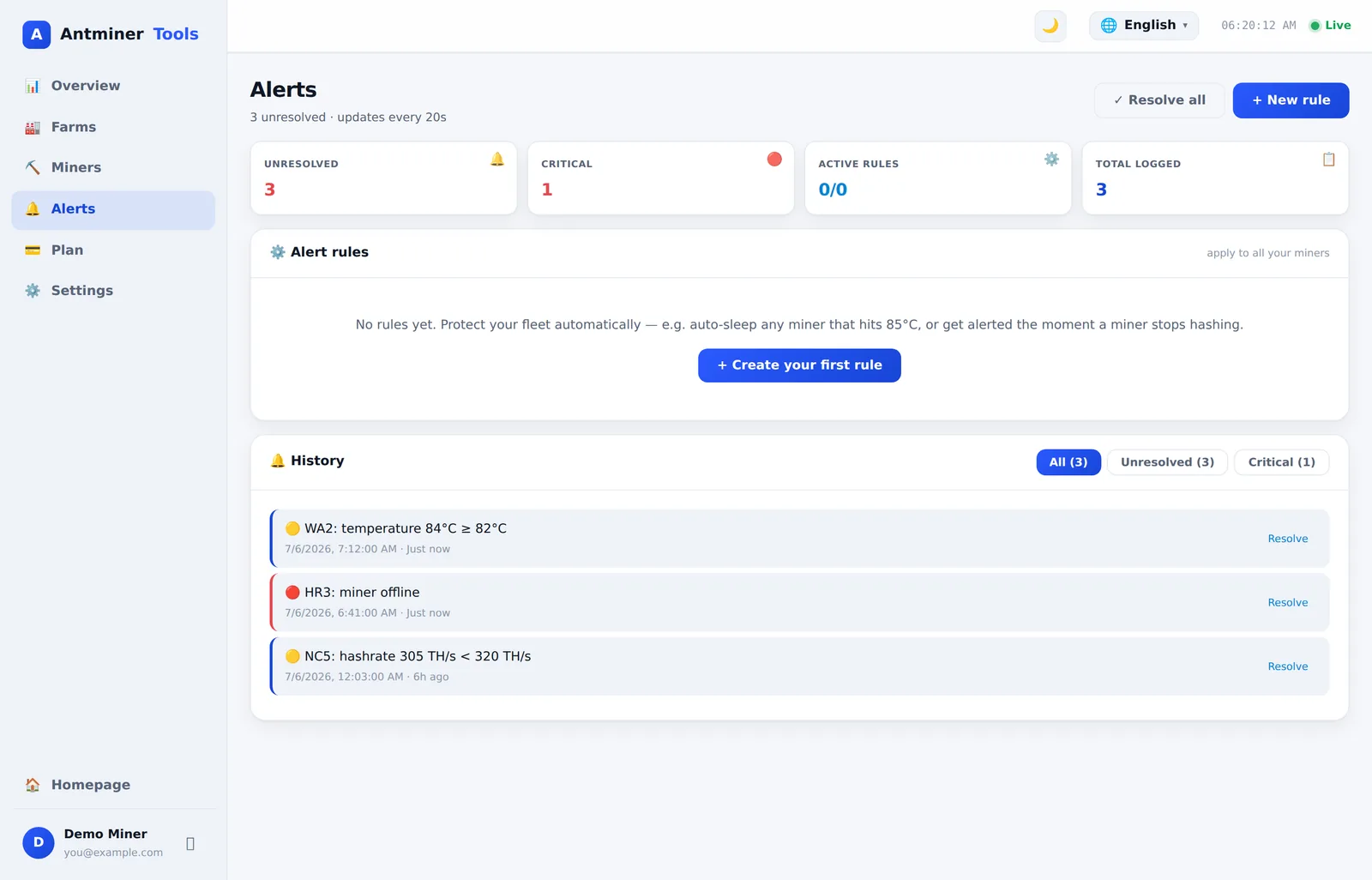
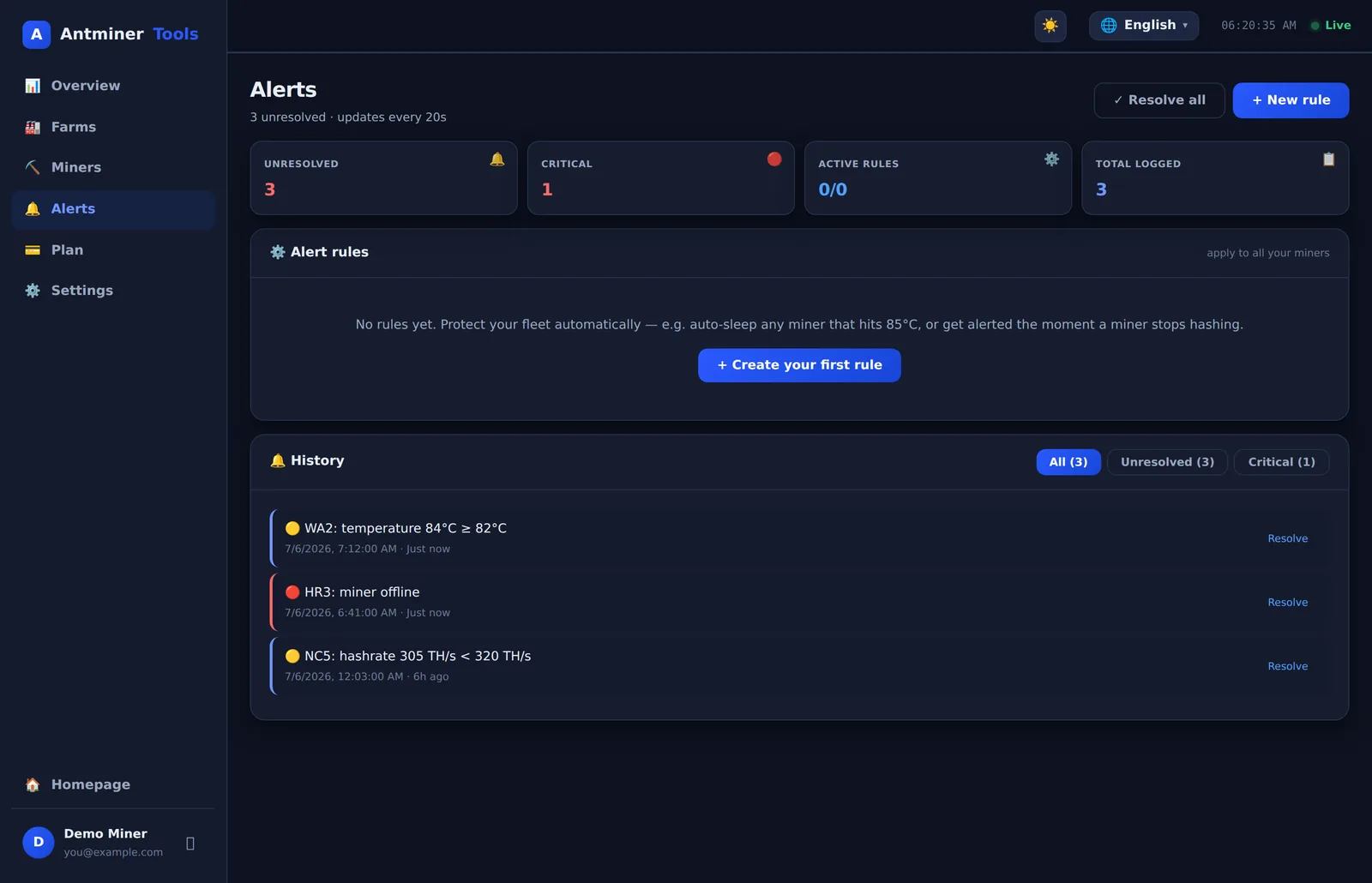
Go to Alerts β†’ β€œ+ New rule”. Pick a trigger, a threshold, and what should happen:

Triggers:
β€’ 🌑️ Temperature above threshold (e.g. 85Β°C)
β€’ ⚠️ Hashrate drops to zero (miner hung or lost pool)
β€’ πŸ“‰ Hashrate below threshold (degrading hashboard)

Actions:
β€’ πŸ“¨ Alert only β€” logged in your Alerts page
β€’ 😴 Auto-sleep β€” puts an overheating miner to sleep automatically, before it cooks a hashboard
β€’ πŸ”„ Auto-restart β€” reboots a stuck miner without you lifting a finger

Rules have a 30-minute cooldown so you’re not spammed, and you can toggle them on/off or delete them anytime. In Settings choose where email notifications go and enable offline / high-temp alerts and a daily summary.

βš™οΈ New alert rule
Trigger🌑️ Temperature above
Threshold85 Β°C
Action😴 Auto-sleep
Create rule
7

Dial in your real profit

In Settings β†’ Mining economics, enter your actual electricity price ($/kWh) and pool fee (%). The Overview then shows true daily revenue, electricity cost and profit β€” per day, week, month and year β€” plus your break-even electricity price and cost per BTC mined, computed live from the network difficulty and BTC price.

Use the calculator’s inputs to play what-if: β€œwhat if power costs $0.05?”, β€œwhat if I add 4 more S21s?” β€” it recalculates instantly without touching your saved settings.

Also in Settings: change your password, set a separate alert email, and control which notifications you receive.

β‚Ώ Profitability
0.0032BTC/day
$197.79Rev/day
$170.74Power/day
$27.05Profit/day
$811Profit/mo
$0.0926Breakeven
8

Day-to-day tips

β€’ Add a miner manually (Miners β†’ β€œ+ Add miner”) if it’s on a different subnet than the scan covers β€” just enter IP, port and login.
β€’ Multiple sites? Create a farm per location, run one agent at each β€” everything lands in the same dashboard.
β€’ Rotate a farm token (farm card β†’ Agent β†’ Advanced) if a farm PC is lost or sold, then download a fresh agent.
β€’ Check the agent anytime on the farm PC with python antminer_agent.py --status.
β€’ Miner names sync automatically to their pool worker names, so the dashboard matches your pool account.
β€’ Works on your phone β€” the dashboard is fully responsive, so you can reboot a miner from bed.

πŸ’‘ Pro tip

Set an auto-sleep at 85Β°C rule on every hydro miner the day you add it. A $5,000 machine protects itself while you sleep β€” and wakes up when you tell it to.

Start now β€” it’s free β†’
Everything included

ASIC miner monitoring software for your entire operation

Every option in AntminerTools exists because a real farm needed it. Here's the full toolkit you get with your free account.

πŸ“Š

Live monitoring

Real-time & average hashrate, per-chain chip/PCB temperatures, fan speeds, power draw and efficiency (J/TH) for every unit β€” refreshed every 30 seconds.

πŸŽ›οΈ

Remote control

Reboot a frozen miner, switch work modes (Normal / Sleep / Turbo / Eco), blink the LED to find a unit in the rack, and change pools β€” from anywhere.

πŸ”

Auto network scan

The agent sweeps your subnet and finds every Antminer automatically β€” no typing IP addresses. New units are one click away from being monitored.

🚨

Smart alerts

Get alerted on overheating, zero or low hashrate, and offline units. Attach automatic actions: auto-sleep an overheating miner or auto-reboot a stuck one β€” even while you sleep.

πŸ’°

Profitability calculator

Live BTC price, network difficulty and hashrate combined with your electricity cost show real daily profit β€” per miner and for the whole fleet.

πŸ“ˆ

Historical charts

Hashrate, temperature and power history for every miner. Spot degrading units and prove uptime β€” data stays in your account.

🏒

Multi-site farms

Run separate farms for each location with independent agents, all in one dashboard. Perfect for operators managing sites for multiple clients.

πŸ–₯️

Remote desktop UNLIMITED

Open your farm PC’s full desktop right in the dashboard β€” control it, edit configs, reboot Windows β€” from anywhere, no port forwarding. Works by just running the same agent. Available on the Unlimited plan.

πŸ”„

Set-and-forget agent

Installs in one click, auto-starts on every reboot (Windows, Linux & Raspberry Pi), updates itself when we ship improvements, cleans up old versions, reconnects after outages and fails over between relays β€” truly zero maintenance.

πŸ‘₯

Pool worker names

Miners are automatically labelled with their pool worker names, so your dashboard matches your pool account 1-to-1.

See it in action

The dashboard your fleet deserves

Everything here is the real AntminerTools dashboard β€” live stats, one-click controls and automation, on desktop or phone.

Your whole fleet at a glance

Live hashrate, power, temperature and daily profit across every farm β€” with a built-in profitability calculator.

AntminerTools fleet overview dashboard AntminerTools fleet overview dashboard

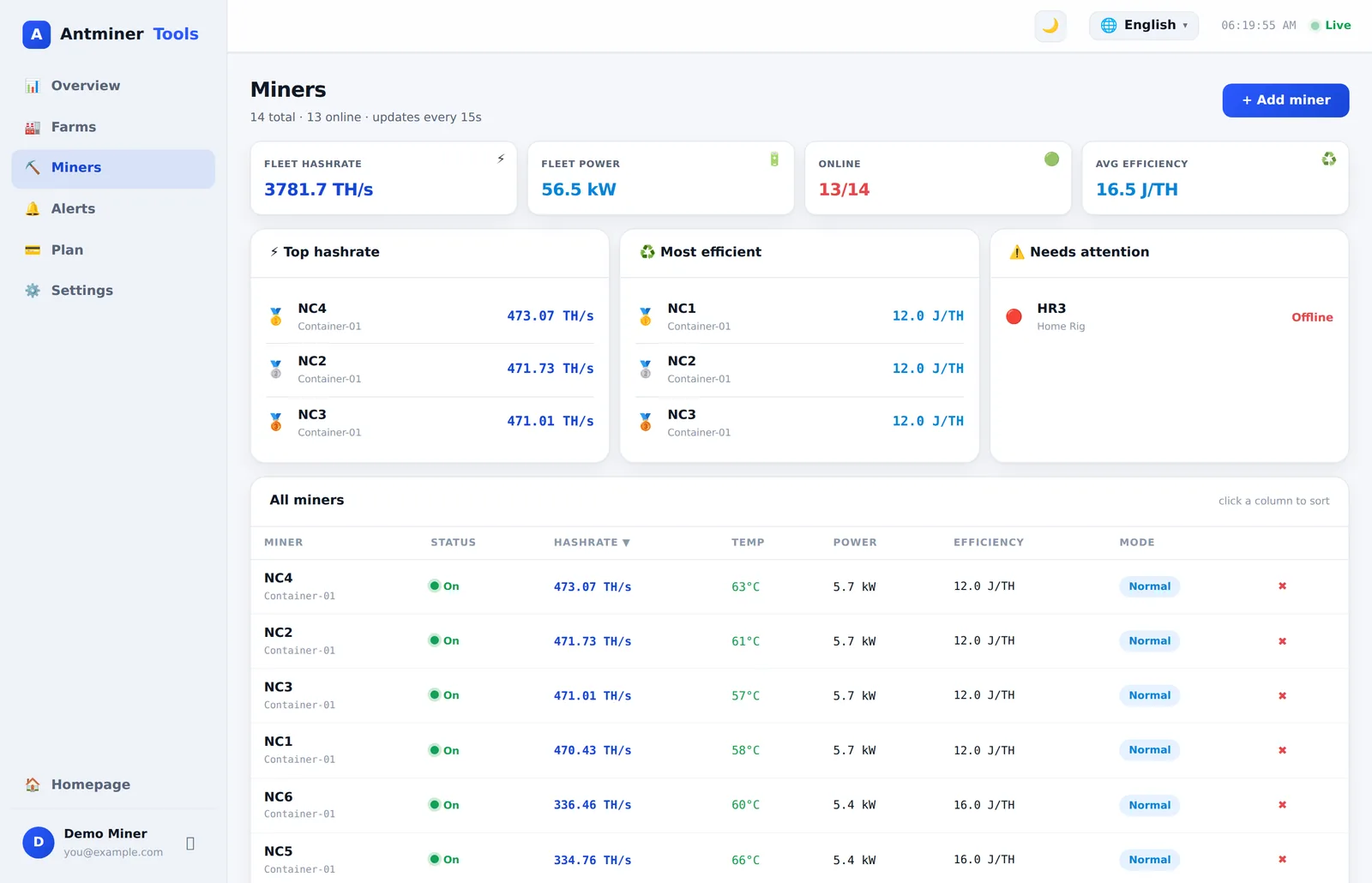
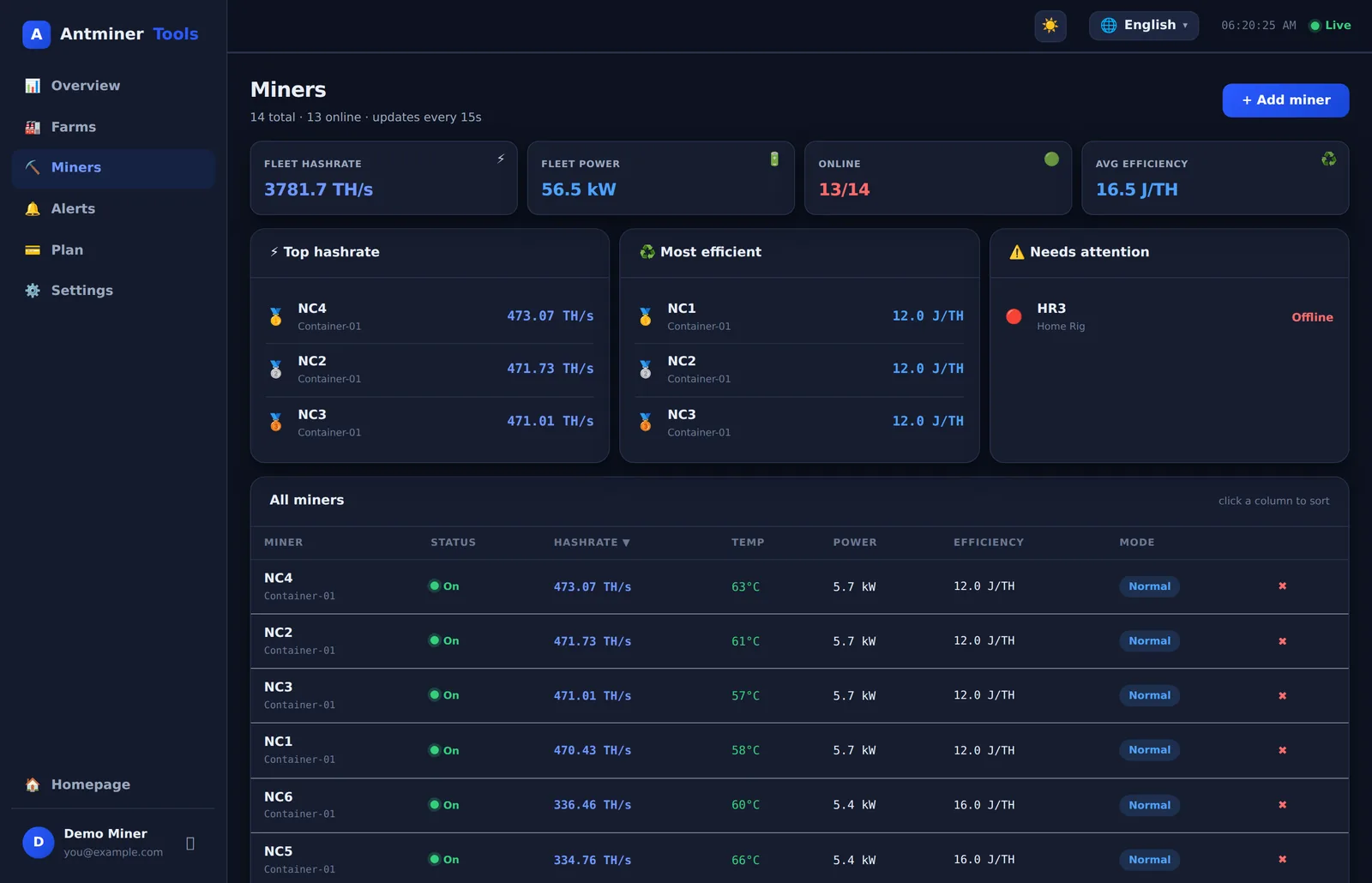
Every miner, ranked and sortable

Top performers, hottest units and anything that needs attention. Sort by hashrate, temperature, efficiency or power in one click.

AntminerTools miners page with leaderboards AntminerTools miners page with leaderboards

Automation that protects your hardware

Temperature and hashrate rules that auto-sleep or auto-reboot a miner before a hashboard is damaged β€” with every event logged.

AntminerTools alerts and automation page AntminerTools alerts and automation page

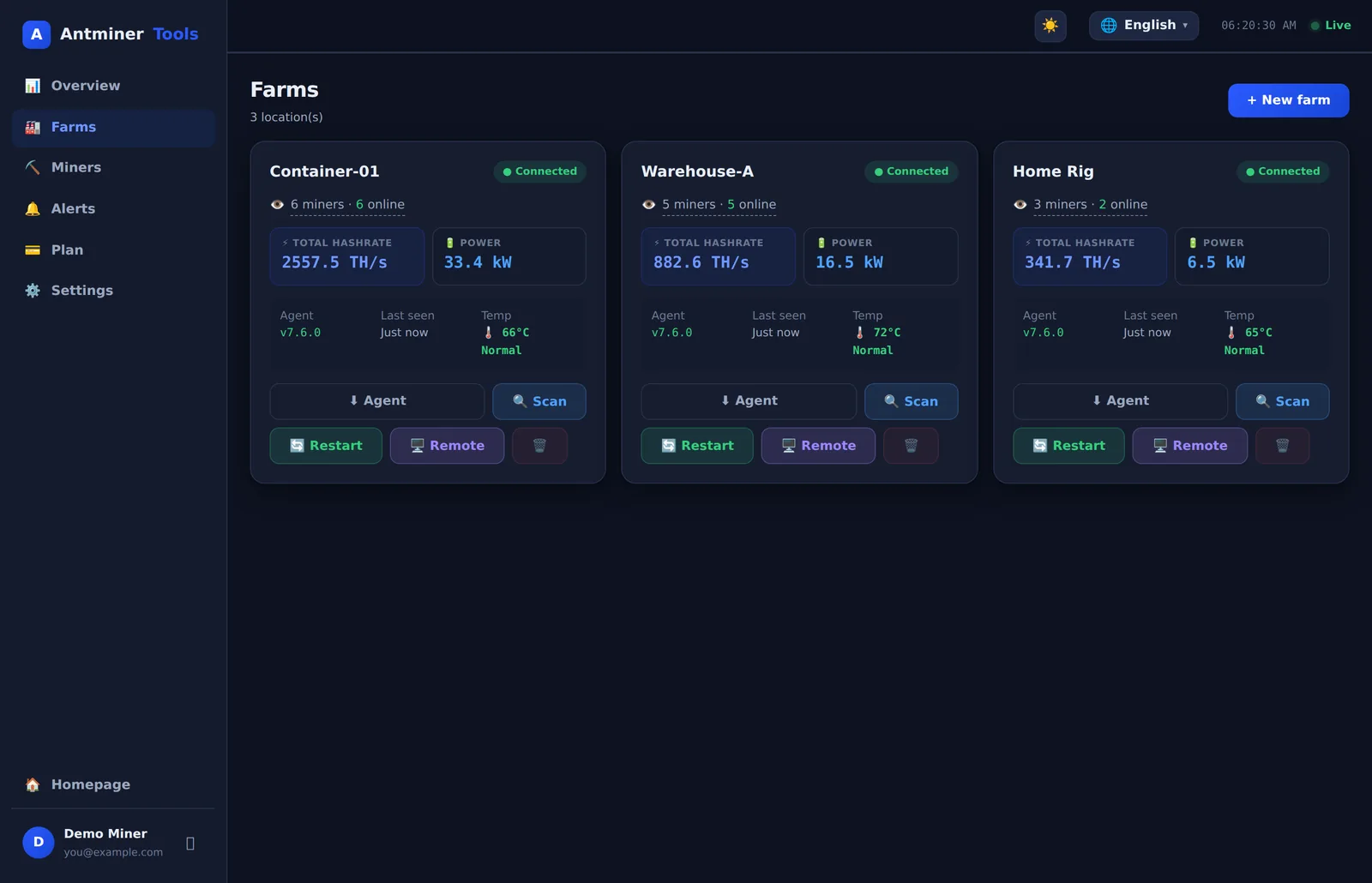
Multi-site, one dashboard

Group miners by location, watch each connector agent, and reboot, scan or remote-desktop into any site from anywhere.

AntminerTools farms page with connected agents AntminerTools farms page with connected agents
Supported hardware

Built for every Bitmain Antminer

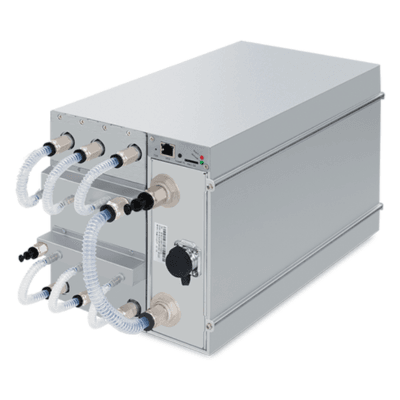
AntminerTools speaks the native Bitmain web API β€” Bitcoin, Litecoin/Dogecoin, Kaspa and every other Antminer family, with special handling for hydro and immersion models (water-cooled temperature sensors, no-fan detection). The current line-up:

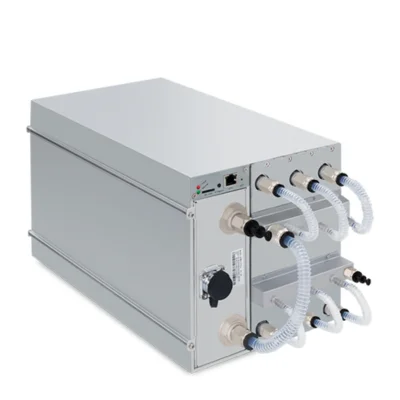
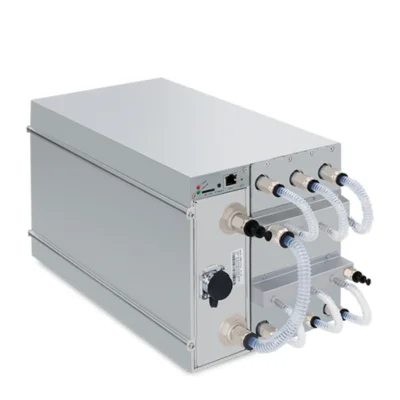
Antminer S23 Hyd.HYDRO COOLING

Antminer S23 Hyd.

Hydro Β· SHA-256
Hashrate580 TH/s
Power5510 W
Efficiency9.5 J/TH
CoolingWater
Antminer S21 XP Hyd.HYDRO COOLING

Antminer S21 XP Hyd.

Hydro Β· SHA-256
Hashrate473 TH/s
Power5676 W
Efficiency12 J/TH
CoolingWater
Antminer S21+ Hyd.HYDRO COOLING

Antminer S21+ Hyd.

Hydro Β· SHA-256
Hashrate319–395 TH/s
Power4785 W
Efficiency15 J/TH
CoolingWater
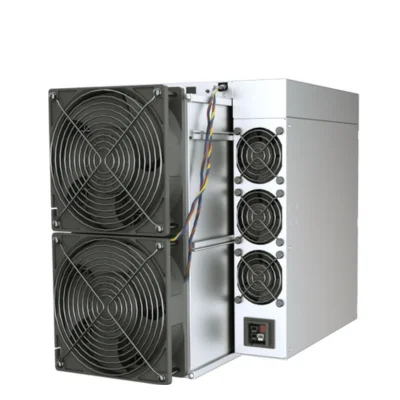
Antminer S21 XPAIR COOLED

Antminer S21 XP

Air Β· SHA-256
Hashrate270 TH/s
Power3645 W
Efficiency13.5 J/TH
CoolingAir
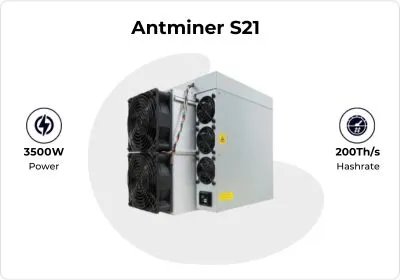
Antminer S21 / S21+ / S21 ProAIR COOLED

Antminer S21 / S21+ / S21 Pro

Air Β· SHA-256
Hashrate151–235 TH/s
Power~3500 W
Efficiency15–17.5 J/TH
CoolingAir
Antminer T21AIR COOLED

Antminer T21

Air Β· SHA-256
Hashrate190 TH/s
Power3610 W
Efficiency19 J/TH
CoolingAir
Antminer S19 XP / XP Hyd.AIR COOLED

Antminer S19 XP / XP Hyd.

Air & Hydro Β· SHA-256
Hashrate141–257 TH/s
Power3010–5345 W
Efficiency21.5 J/TH
CoolingAir / Water
Antminer S19 / S19j Pro / S19kAIR COOLED

Antminer S19 / S19j Pro / S19k

Air Β· SHA-256
Hashrate82–120 TH/s
Power~3050 W
Efficiency29.5+ J/TH
CoolingAir
Antminer L9 / L11AIR COOLED

Antminer L9 / L11

Scrypt Β· LTC+DOGE
Hashrate17–35 GH/s
Power3360–5775 W
CoinsLTC Β· DOGE Β· BEL
CoolingAir / Hydro
Antminer L7AIR COOLED

Antminer L7

Scrypt Β· LTC+DOGE
Hashrate8.8–9.5 GH/s
Power3425 W
CoinsLTC Β· DOGE
CoolingAir
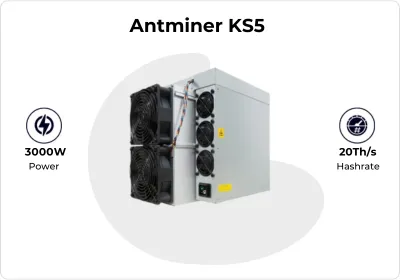
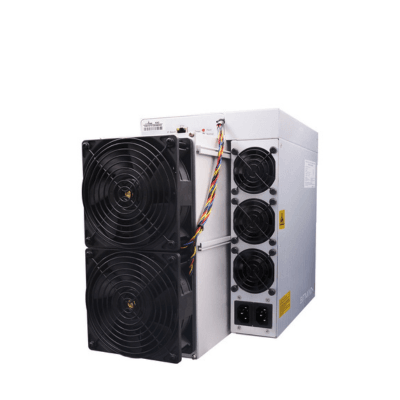
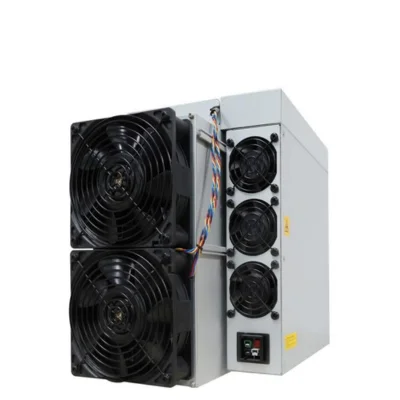
Antminer KS5 / KS5 Pro / KS7AIR COOLED

Antminer KS5 / KS5 Pro / KS7

KHeavyHash Β· Kaspa
Hashrate20–40 TH/s
Power3000–3150 W
CoinKAS
CoolingAir
Antminer KA3 / K7 / E9 Pro …AIR COOLED

Antminer KA3 / K7 / E9 Pro …

Other algorithms
ModelsKA3 Β· K7 Β· E9 Β· D9 Β· Z15 Β· X5 Β· HS3
CoinsKDA Β· CKB Β· ETC Β· DASH Β· ZEC Β· XMR

Full compatibility list β€” every model

All 65+ current and previous-generation Antminers with the standard Bitmain web interface work out of the box.

ModelHashratePowerCooling
Bitcoin β€” SHA-256
Antminer S23 Hyd.580 TH/s5510 WHydro
Antminer S23 Hyd. 3U1160 TH/s11020 WHydro
Antminer S23e Hydro 2U865 TH/s8650 WHydro
Antminer S23296–318 TH/s3498 WAir
Antminer S23 Immersion442 TH/s5304 WImmersion
Antminer S21j XP Hyd.495 TH/s5940 WHydro
Antminer S21 XP+ Hyd.500 TH/s5500 WHydro
Antminer S21 XP Hyd.473 TH/s5676 WHydro
Antminer S21e XP Hyd. / 3U430 / 860 TH/s5590 / 11180 WHydro
Antminer S21 XP270 TH/s3645 WAir
Antminer S21 XP Immersion300 TH/s4050 WImmersion
Antminer S21+ Hyd.319–395 TH/s4785 WHydro
Antminer S21 Hyd.302–335 TH/s5360 WHydro
Antminer S21e Hydro288–322 TH/s5500 WHydro
Antminer S21++ / S21 Pro+234–235 TH/s3510 WAir
Antminer S21 / S21+ / S21 Pro151–216 TH/s~3500 WAir
Antminer S21 Immersion215–301 TH/s4800 WImmersion
Antminer T21190 TH/s3610 WAir
Antminer S19 XP+ / XP Hyd.257–293 TH/s5345–5567 WHydro
Antminer S19e XP Hydro251 TH/s5522 WHydro
Antminer S19 Pro / Pro+ Hyd.170–198 TH/s5428 WHydro
Antminer S19 XP / S19j XP141–151 TH/s3010–3247 WAir
Antminer S19k Pro / S19j Pro+105–120 TH/s3355 WAir
Antminer S19 / S19j Pro / S19 Pro82–104 TH/s~3100 WAir
Antminer S19 Hyd. / T19 / T19 Hydro84–235 TH/s3150–5170 WAir / Hydro
Litecoin + Dogecoin β€” Scrypt
Antminer L11 Hyd. 2U / 6U33–35 GH/s5676–5775 WHydro
Antminer L11 / L11 Pro20–21 GH/s3612–3680 WAir
Antminer L9 Hyd. 2U27 GH/s5670 WHydro
Antminer L917–18.5 GH/s3360 WAir
Antminer L78.8–9.5 GH/s3425 WAir
Kaspa β€” KHeavyHash
Antminer KS740 TH/s3080 WAir
Antminer KS5 Pro21 TH/s3150 WAir
Antminer KS520 TH/s3000 WAir
Antminer KS37.3–9.4 TH/s3500 WAir
Other coins
Antminer KA3 (Kadena)166–173 TH/s3287 WAir
Antminer K7 (Nervos CKB)58–66 TH/s3080 WAir
Antminer E11 / E9 Pro / E9 (EtHash)2.4–9.5 GH/s1920–2200 WAir
Antminer AL1 / AL1 Pro (Alephium)15.6–16.6 TH/s3510–3730 WAir
Antminer DR7 (Siacoin)127 TH/s2730 WAir
Antminer D9 / D7 (Dash X11)1.16–1.77 TH/s2389–3148 WAir
Antminer Z15 / Z15 Pro (Zcash)420–840 ksol/s1510–2560 WAir
Antminer X9 / X5 (Monero)212 kH/s+1350 W+Air
Antminer HS3 (Handshake)8.55–9 TH/s2079 WAir

Specifications are manufacturer-rated values and vary by batch and work mode. Antminer is a trademark of Bitmain Technologies β€” AntminerTools is an independent monitoring platform, not affiliated with Bitmain. Running a model that isn’t listed? If it has the stock Bitmain web interface, it works.

Per-model monitoring guides

Antminer S21Antminer S19Antminer S23Antminer T21Antminer L7Antminer L9Antminer KS5Antminer KA3
Security first

Your farm stays invisible to the internet

πŸ”’

Outbound-only tunnel

The agent dials out over a TLS websocket (the same port as HTTPS). Nothing on your network listens for incoming connections β€” nothing to attack, nothing to port-forward.

πŸ”‘

Per-farm tokens

Each farm authenticates with its own signed token. Revoke and regenerate it any time with one click β€” a lost laptop never compromises your fleet.

🧊

Encrypted credentials

Miner passwords are encrypted at rest with AES-256-GCM and only decrypted in memory at the moment a command is relayed to your LAN.

πŸ›°οΈ

Built for bad internet

Automatic reconnection with backoff, plus multiple relay endpoints with automatic failover β€” your dashboard survives ISP hiccups and CDN outages.

AntminerTools Cloud dashboard Β· alerts Β· history You, anywhere wss:// TLS tunnel outbound only ↑ YOUR FARM LAN β€” NO OPEN PORTS Connector Agent any PC / Raspberry Pi Miner 1 Miner 2 Miner N
Why it pays for itself

Downtime is the most expensive part of mining

A single S21 XP Hyd. that hangs overnight silently burns a full day of revenue. AntminerTools exists to make sure that never happens quietly again.

⏱️

Catch failures in minutes, not days

Offline and zero-hashrate alerts fire within one poll cycle. The difference between a 10-minute reboot and a weekend of lost hashes is one notification.

🌑️

Protect your hardware investment

Heat kills hashboards. Temperature alerts with automatic sleep-mode protect a $5,000 machine while you're on the road β€” automatically.

🧾

Know your real margin

Live profitability with your actual power price tells you when to run Turbo, when Eco, and when a unit is mining at a loss.

🧳

Manage sites without driving to them

Reboot, re-pool and diagnose remotely. Hosting for friends or clients? Give each site its own farm and stay in control of everything from one login.

Pricing

Simple plans that grow with your farm

Start free. Upgrade the moment you need more miners β€” cancel anytime. All prices in USD, billed monthly.

Free
$0/mo
To get started
  • βœ“ 1 farm
  • βœ“ Up to 4 miners
  • βœ“ Live monitoring & remote control
  • βœ“ Alerts in your dashboard
Start free
Starter
$3/mo
Small operations
  • βœ“ 2 farms
  • βœ“ Up to 10 miners
  • βœ“ Everything in Free
Choose Starter
Pro
$6/mo
Growing farms
  • βœ“ 5 farms
  • βœ“ Up to 20 miners
  • βœ“ Everything in Starter
Choose Pro

Secure payments by Stripe Β· cancel anytime Β· upgrade or downgrade whenever you like. Your existing miners are never deleted if you change plans.

Questions

Frequently asked questions

Do I need to open ports or set up a VPN?

No β€” that's the whole point. The connector agent makes an outbound encrypted websocket connection to our relay (standard HTTPS port 443). It works behind any router, CGNAT, 4G/5G or Starlink connection with zero network configuration.

What do I install on my farm?

One small Python script β€” the Connector Agent β€” on any Windows PC, Linux box or Raspberry Pi that's on the same LAN as your miners. The download from your dashboard is pre-configured with your farm token: double-click START_AGENT.bat (Windows) or run python3 antminer_agent.py (Linux/RPi). Python and dependencies install themselves.

Does the agent update itself and restart after a reboot?

Both. Every time we release a new version, running agents download it, verify it, keep a backup and restart themselves β€” your token and settings are preserved, and old versions are cleaned up automatically. The agent also installs itself to auto-start on boot (Windows Startup, or a systemd service / cron on Linux & Raspberry Pi), so if the farm PC loses power or reboots, the agent comes right back on its own. You never have to touch the farm PC again β€” check status any time with python antminer_agent.py --status.

Are my miner passwords safe?

Miner credentials are encrypted at rest with AES-256-GCM. They're only decrypted in memory the instant a command is relayed through the tunnel to your own LAN. Your farm token is a signed JWT you can revoke and regenerate at any time.

How often do stats update?

Every 30 seconds for every online miner: hashrate (5s / 30m / average), per-chain chip and PCB temperatures, fan speeds, power draw, efficiency, pool status and worker names.

Which miners are supported?

Any Bitmain Antminer running stock firmware with the standard web interface β€” the S21 family (including XP/+ Hydro), S19 family, T21, L7 and more. Hydro models get special handling (water-cooled temperature sensors, no-fan detection). Third-party firmware that keeps the Bitmain-compatible API generally works too.

What happens if my internet goes down?

Your miners keep mining β€” they talk to your pool directly, not through us. The agent reconnects automatically with exponential backoff, and rotates to a fallback relay endpoint if the primary is unreachable. You'll get an offline alert so you know something's up.

How much does it cost?

Start free β€” 1 farm and up to 4 miners, with full live monitoring, remote control and dashboard alerts. Paid plans add capacity as you grow: Starter $3/mo (2 farms, 10 miners), Pro $6/mo (5 farms, 20 miners) and Unlimited $10/mo (unlimited farms & miners plus email alerts). Payments are handled securely by Stripe and you can cancel anytime β€” see Pricing.

Can I upgrade or downgrade later?

Anytime. Upgrade the moment you need more miners and the new limit unlocks instantly; downgrade or cancel from your dashboard whenever you like. Your existing miners and history are never deleted when you change plans.

Get started

Your fleet, in your pocket, tonight

Create your account, run the agent, and see every miner live β€” before your coffee gets cold.

Create free account β†’